Safety model
Changes wait until you press Write, and agents wait for approval. You'll always see whether the vehicle accepted a command.
SecurityFly a simulated drone in your browser, then connect your own. UXDuck keeps a history of every change.
Every screenshot here is the real app, recorded during a simulated flight.
01
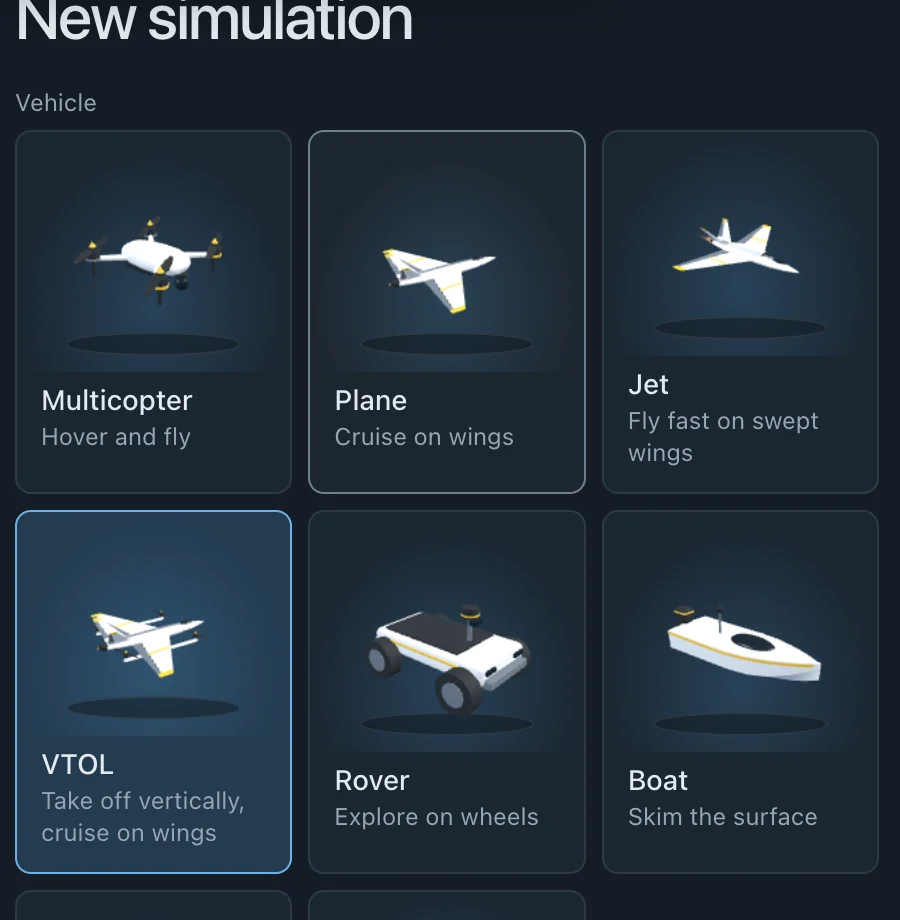
Pick a plane, copter, VTOL, rover, boat or submarine and fly it in your browser. It's real ArduPilot, so it's the same MAVLink your vehicle uses.
02
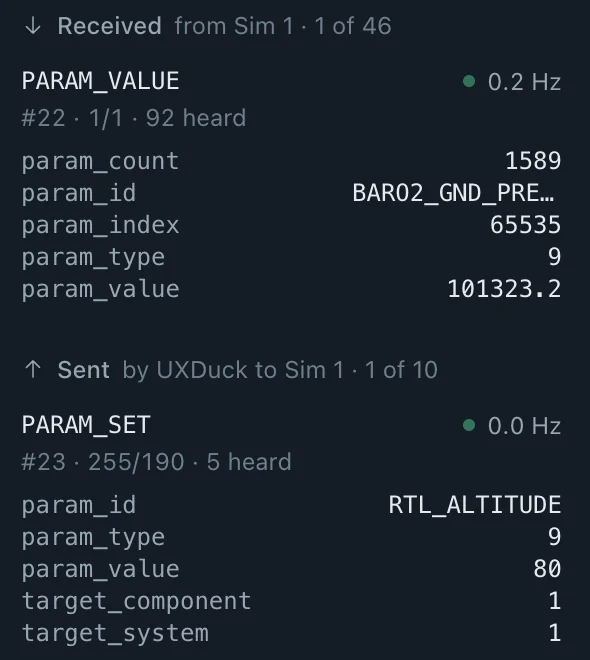
Install UXDuck for USB, telemetry radio, UDP or TCP links. Inspect every MAVLink message in and out, and forward to Mission Planner or QGroundControl while the team still needs both.
03
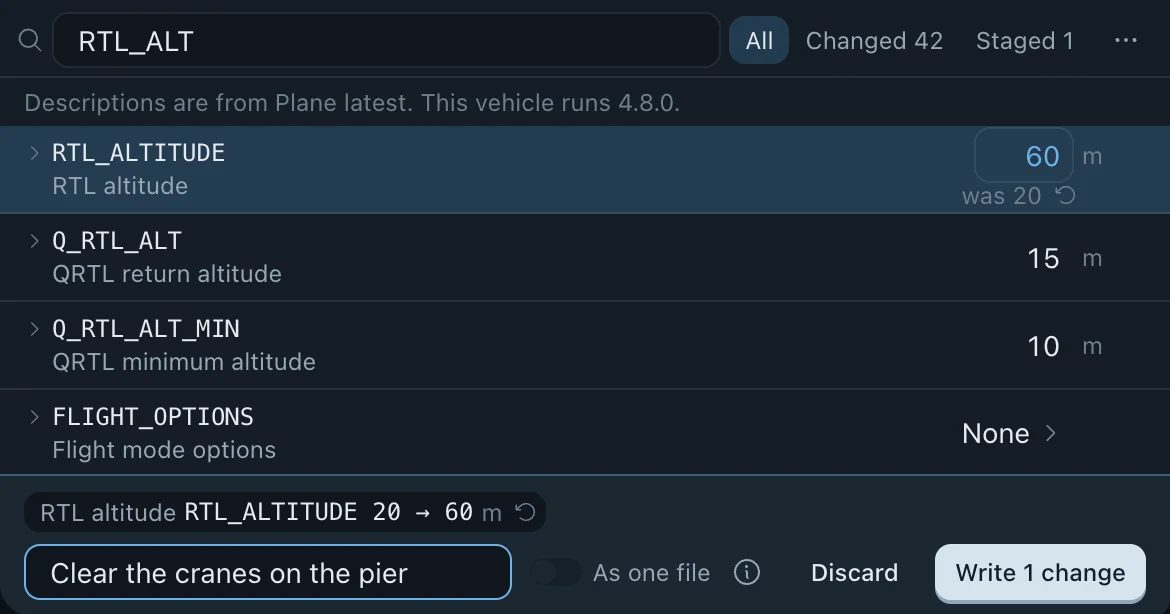
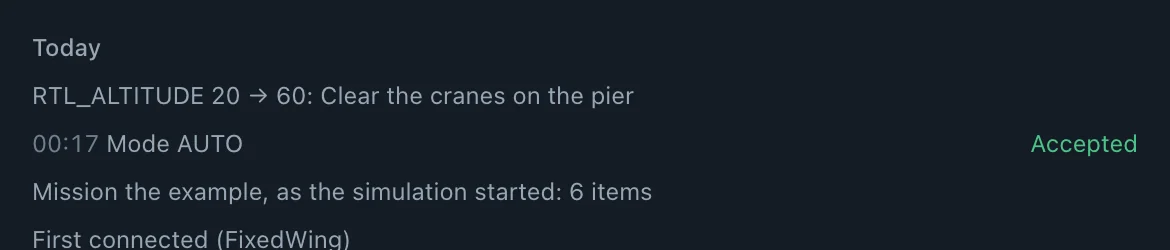
Change parameters in a batch and note why. If the value changed on the vehicle since you looked, UXDuck won't overwrite it.
04
Plan on the map, upload to a chosen vehicle and read the mission back to check what it holds. Watch camera video, script it from the CLI or let an AI agent run it over MCP.
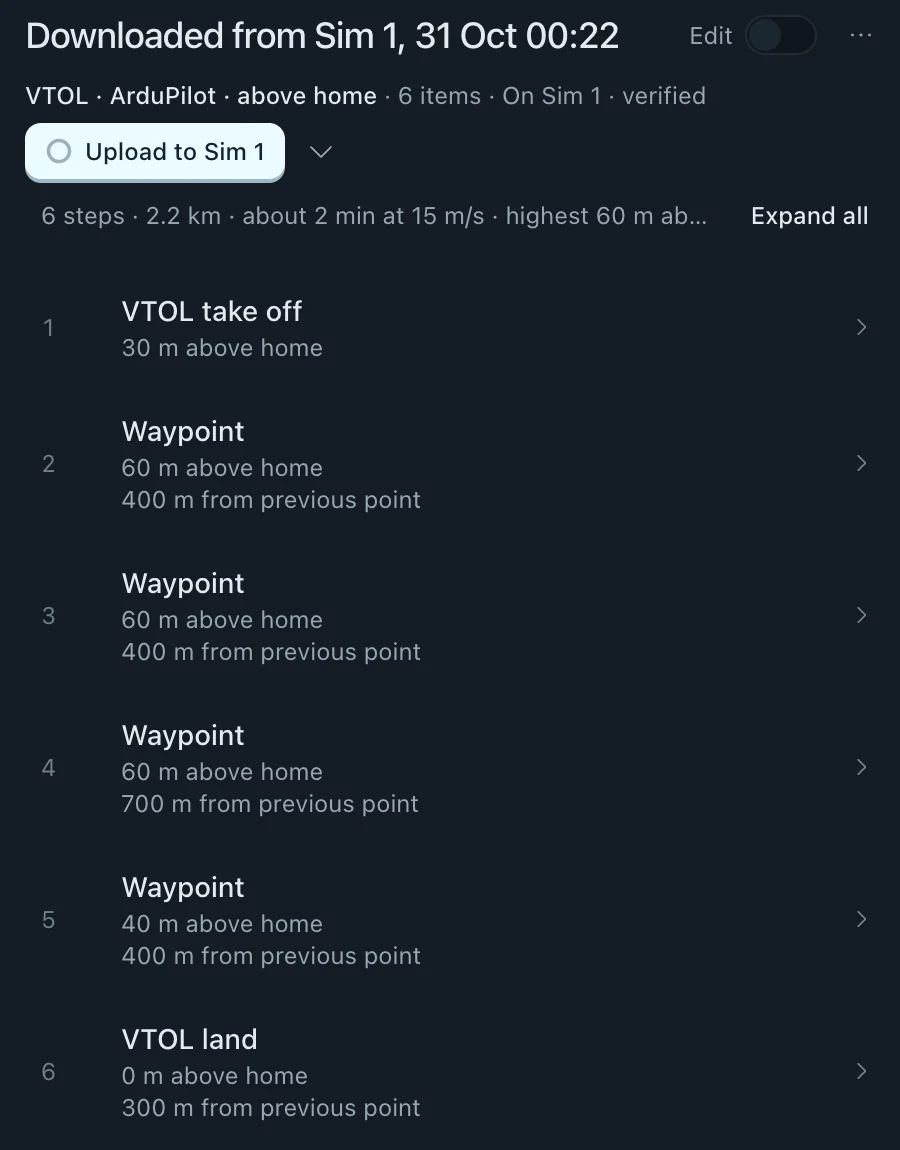
Connect Claude Code, Codex or Cursor to UXDuck over MCP. Reading telemetry needs no approval. Commands and parameter writes wait for an operator, in the app or at the terminal.
ArduPilot on macOS, Windows, Linux, Raspberry Pi and the browser. Keep using Mission Planner or QGroundControl alongside it while you switch over.
| UXDuck | Mission Planner | QGround | |
|---|---|---|---|
| Try it in the browser, nothing to install | |||
| Try it in the browser, nothing to install | Yes | No | No |
| Simulator in the browser | |||
| Simulator in the browser | Yes | No | No |
| Practice exercises for new pilots | |||
| Practice exercises for new pilots | Yes | No | No |
| Use from Claude or Codex (MCP) | |||
| Use from Claude or Codex (MCP) | Yes | No | No |
| Runs on | |||
| Runs on | macOS, Windows, Linux, Raspberry Pi and the browser | Windows | Windows, macOS, Linux, Android and iOS |
| Autopilots | |||
| Autopilots | ArduPilot | ArduPilot | PX4 and ArduPilot |
| Mission planning | |||
| Mission planning | Yes | Yes | Yes |
A plugin system that the AI agent can use. Build custom functionality with or without the help of AI.
Every parameter change, command and approval is saved automatically, with who did it and why.
Changes wait until you press Write, and agents wait for approval. You'll always see whether the vehicle accepted a command.
SecuritySwitch operators on a shared laptop. Each person keeps their own units and layouts and signs in as themselves, and every action records who did it.
Shared computersAdd your fork's MAVLink messages and parameter descriptions, for one vehicle or every build of a commit, and UXDuck shows them beside the standard ones.
Parameters and messagesSend a link and anyone can watch the flight live in their browser: the map, telemetry and camera. It's read only, needs no account and expires.
Watch linksTry it in your browser, no install or account needed. Download it when you're ready to connect a real vehicle.
New releases and upcoming features, by email.
You can unsubscribe any time. No spam.